
Tips for Setting Boundaries with Notifications to Boost Your Focus
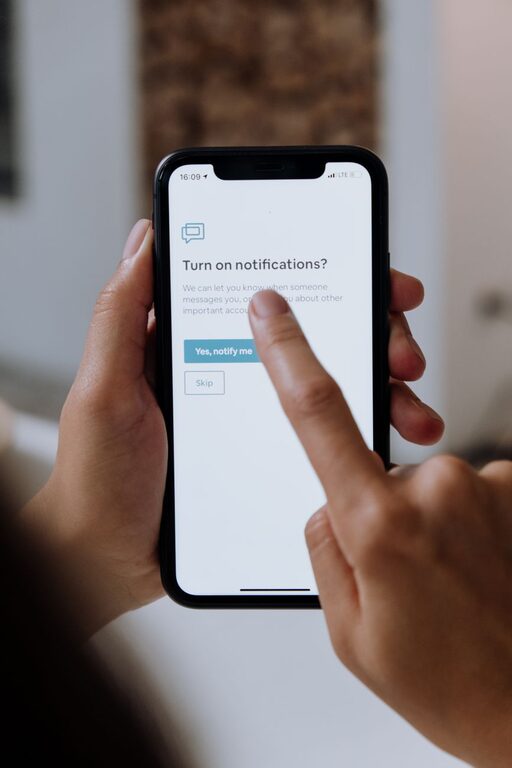
In today’s digital world, notifications are everywhere—on our smartphones, computers, tablets, and even smartwatches. While these alerts can be helpful reminders, they often pull us away from important tasks and disrupt our concentration. Setting boundaries with notifications is essential if you want to boost your productivity, improve your mental well-being, and create a better balance between your digital and real lives.
This blog post shares practical tips for managing notifications effectively so you can take control of your focus and time.
Why Setting Boundaries with Notifications Matters
Notifications are designed to grab your attention, sometimes constantly. This can lead to:
– Frequent interruptions that break your focus
– Increased stress from information overload
– Reduced productivity and longer task completion times
– Difficulty disconnecting from work or social media
By setting clear boundaries, you can reduce distractions, feel less stressed, and find more time for important activities.
Tips for Managing Notifications Effectively
1. Audit Your Notifications Regularly
Start by reviewing all the apps and devices that send you notifications. Ask yourself:
– Which apps truly need to notify me?
– Are there some that I never respond to or find helpful?
Remove or disable notifications from apps that aren’t essential. This simple step alone can drastically reduce the number of alerts you receive daily.
2. Customize Notification Settings
Most devices allow you to tailor notification settings for each app. Consider:
– Turning off sounds and vibrations for less urgent notifications
– Setting notifications to appear silently without a banner or popup
– Using priority settings so only the most important alerts get your immediate attention
Customizing notifications means you won’t miss key messages but won’t be overwhelmed by every ping.
3. Use Do Not Disturb Mode Strategically
Do Not Disturb (DND) mode is a powerful tool to shield yourself from interruptions, especially during:
– Focused work sessions
– Meetings or classes
– Sleep time or relaxation
Set scheduled DND periods or activate it manually when you need uninterrupted time. Many devices also allow exceptions for calls or messages from select contacts.
4. Set Specific Times to Check Notifications
Instead of constantly reacting to incoming alerts, create designated times to check them—such as every hour or two. This helps you:
– Concentrate on tasks without frequent breaks
– Respond to messages in batches, which can be more efficient
– Avoid the habit of compulsively checking your phone or computer
Using timers or reminders can support this habit until it becomes natural.
5. Turn Off Non-Urgent Notifications
Many apps send notifications for updates, promotions, or social interactions that you don’t need to see immediately. Consider disabling notifications from:
– Social media platforms
– News apps
– Shopping or deal apps
Leaving these notifications off reduces distractions and helps you focus on your priorities.
6. Use Notification Summary Features
Some devices offer a notification summary or grouped notifications, which collect alerts and deliver them at set times. This way, you receive fewer interruptions and can review notifications when convenient.
7. Communicate Your Boundaries
If you work in a team or live with others, let them know when you’ll be limiting notifications and unavailable. Clear communication helps manage expectations and reduces pressure to respond immediately.
8. Practice Mindfulness Around Notifications
Be aware of how notifications affect your mood and concentration. When you feel distracted or stressed, take a moment to pause and decide if you need to check the alert right away or if it can wait. This mindful approach strengthens your control over technology rather than the other way around.
Tools and Apps to Help Manage Notifications
There are several apps and built-in tools designed to help you manage notifications, such as:
– Focus apps that block distracting alerts temporarily
– Digital wellbeing features on Android and iOS devices
– Browser extensions to mute notifications during work hours
Explore tools compatible with your devices to find what fits your lifestyle best.
Final Thoughts
Managing notifications is an ongoing process, not a one-time fix. As your apps and habits change, revisit your notification settings regularly. By setting boundaries thoughtfully, you can reduce stress, enhance your productivity, and enjoy a better balance between your digital and offline worlds.
Start today by auditing your notifications and experimenting with these tips. Your focus and peace of mind will thank you!
Related Post

How to Design a Weekly Reset Routine for a Fresh Start
A weekly reset routine helps you recharge and prepare for the week ahead. Learn simple [...]
How to Keep Your Emails Under Control and Boost Productivity
Struggling with an overflowing inbox? Learn practical tips to organize and manage your emails efficiently [...]